
The report can only be approved by the employee or their supervisor. It is not possible for one employee to perform a “self-approval” on behalf of another employee. The report approval icon is automatically hidden. Once the self-approval is set, the time entry can no longer be modified. However, the approval can be revoked while the entry period is still open.
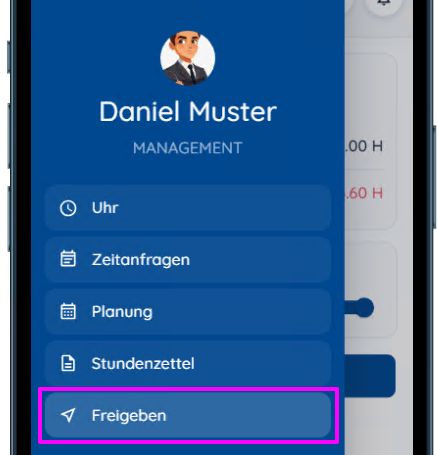
The “Share” menu option opens the sharing dialog box.
Click “Share.” All data will now be checked, and a list of information and warnings will be displayed. Please wait until the data has finished loading.
Information items in the list are marked with a blue “i” icon (these are hidden when the “Show only error messages” checkbox is selected), while warning messages are marked with a red exclamation point “!”. Warnings must be corrected. For each warning, you can see which day it applies to. Clicking on the date opens the window showing the error that needs to be resolved.
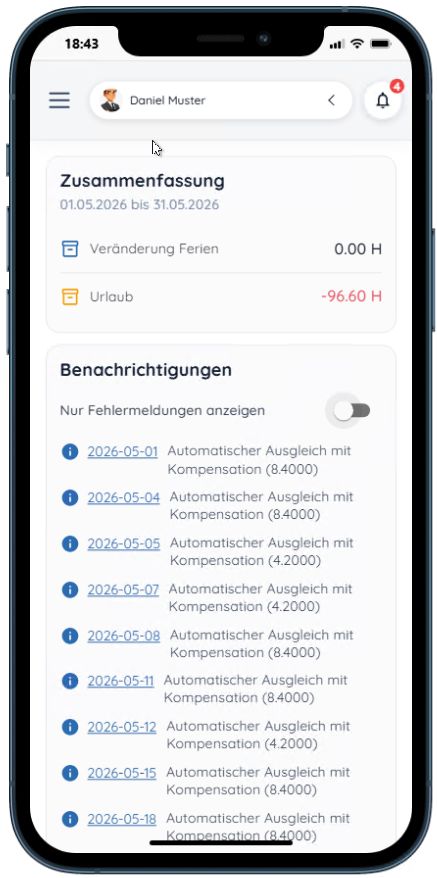
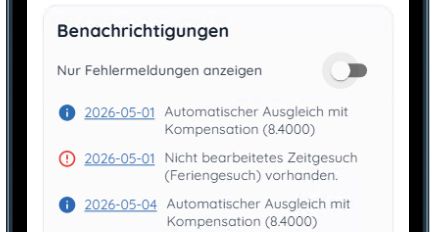
You can find an overview of all information and warning messages here: Warning and Error Messages During Approval
Only after all warnings have been resolved can you approve your report by clicking “Approve.”
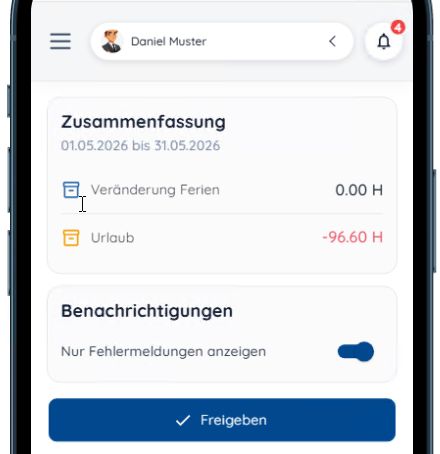
As long as the project manager or supervisor has not yet approved your report, you can also revoke your approval.