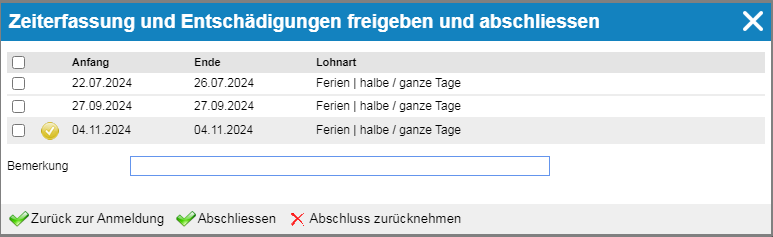
Time requests may require either a single-level or a two-level approval process. This means that even after approval by the supervisor, approval by the project manager is still required.
Approving time requests for multiple employees #
You can find the option to approve time requests in the navigation bar of the time tracking module.

The following list contains all the requests you need to process.
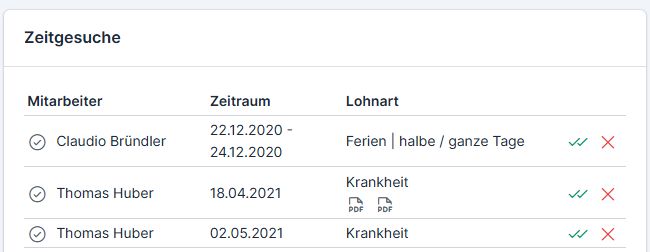
You now have the option to approve or reject the requests. The data will not be entered into the time tracking system until the request is approved.
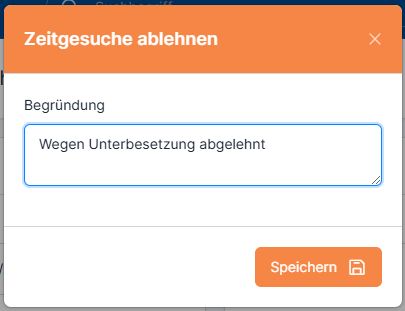
When the request is denied, a form appears for entering the reason for the denial—this way, the employee knows why their vacation request was not approved.
Requests that were entered by the employee themselves are marked with a black check mark.

Approval of an employee’s time request #
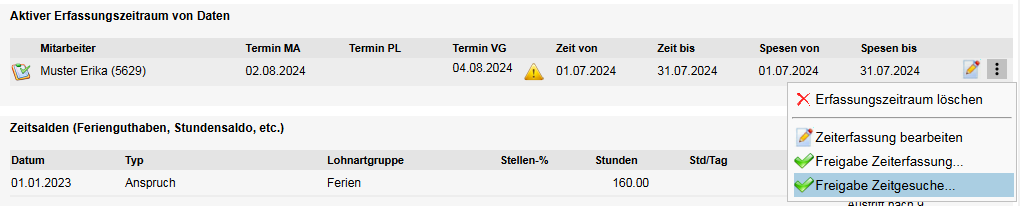
You can approve an employee’s time requests from their profile or from their time tracking records.
1. Employee Profile → Time Tracking tab → Active Tracking Period → Three-dot menu → Approve Time Requests
2. Time Tracking → Time Requests Tab → Approval / Share Data

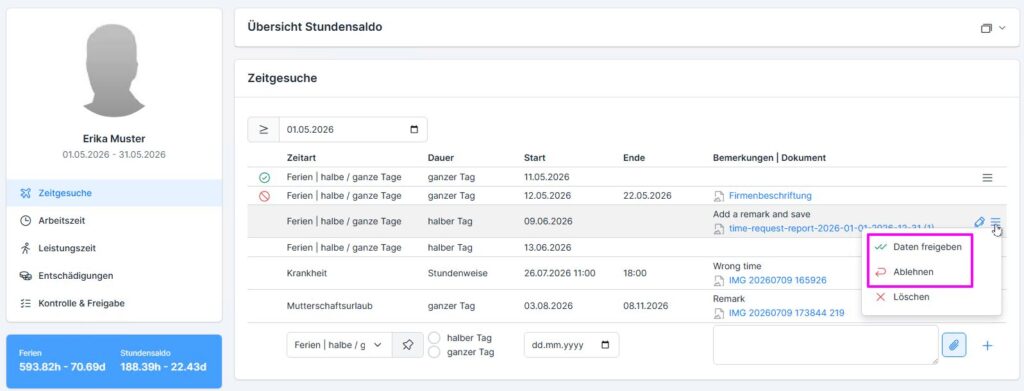
Web X2.0: In both cases, the approval screen appears.
- Yellow checkmark – the request has already been approved by the project manager (if the ” Approval with additional step” option is enabled).
- Finalize – Approve the request
- Withdraw the application—the request is denied